NotebookLM Export Limitations: What You Can and Can't Export
Short answer: NotebookLM (now Gemini Notebook) only exports natively to Google Docs and Google Sheets, and that output is read-only. It has no native export for Markdown, PDF, formatted citations (APA/MLA/BibTeX), Anki decks, Zotero, or your original uploaded source files. Below is exactly what you can and can't get out — and the workaround (manual and one-click) for each.
The thing nobody tells you about NotebookLM until you're mid-project: getting content out of it is where it falls down. It's brilliant at reading your sources and answering questions. But when you want to actually use the output — in a paper, in Anki, in Obsidian, in Zotero — you discover the export menu knows about exactly two destinations, and neither is the one you wanted.
NotebookLM — Google renamed it Gemini Notebook in July 2026, same app — exports natively only to Google Docs and Google Sheets. That's the whole list. This is a map of every export limitation I've hit, what you actually can and can't get out, and the workaround for each — the honest manual way first, then the one-click way where there is one.
What NotebookLM can export natively
Short list: notes and AI answers, to a Google Doc or Google Sheet. That's genuinely it. And once it's in the Doc, it's a Doc — if your workflow lives anywhere other than Google's own tools, you've got a conversion job ahead of you. There's no Markdown, no PDF button, no citation formatting, no flashcard export, no reference-manager integration, and no way to pull your original source files back out.
| What you need | NotebookLM native export | Practical route |
|---|---|---|
| Google Docs / Sheets | Yes | Use the built-in export |
| Markdown / PDF / HTML | No direct export | Copy or print manually, or use a browser export tool |
| APA / MLA / Chicago | No | Build from source metadata or use a citation formatter |
| BibTeX for Zotero | No | Create a .bib file and import it into Zotero |
| Anki deck | No | Use TSV, .apkg, or AnkiConnect |
| Original uploaded PDFs | No | Keep your own original files |
What it can't export — and how to get it anyway
Formatted citations (APA / MLA / Chicago / BibTeX)
NotebookLM shows inline citation chips, but a highlighted passage in a PDF is not a reference you can paste into a bibliography. There's no export for formatted citations at all. You either build each reference by hand from the source metadata, or generate them automatically. Full walkthrough: export NotebookLM citations to BibTeX, APA & MLA.
Sources into Zotero or Mendeley
No native reference-manager integration exists. The bridge is BibTeX — export your sources as a .bib file and Zotero or Mendeley imports them. Here's the whole route: get NotebookLM sources into Zotero & Mendeley.
Flashcards to Anki
NotebookLM generates flashcards but gives you no way to export them — no .apkg, no CSV, and no source on the card. You can rebuild them by hand in a spreadsheet, or export them properly: get NotebookLM flashcards into Anki with sources.
Notes to Markdown, PDF or HTML
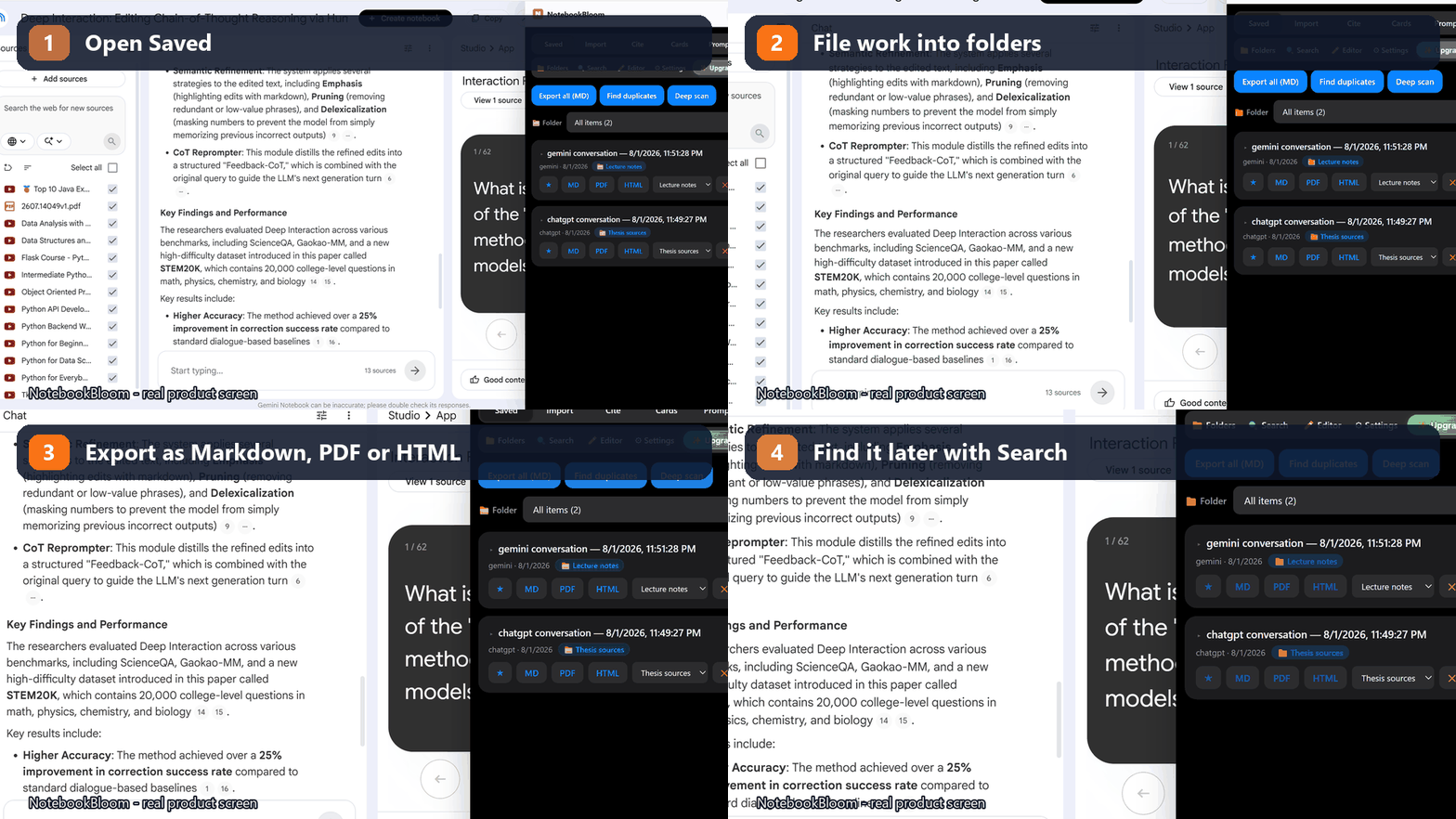
Because native export only targets Google Docs/Sheets, Markdown and PDF are DIY: copy-paste and reformat, or Print → Save as PDF. The cleaner path is here: export NotebookLM notes to Markdown & PDF.
Your original source files (PDFs)
This one has no workaround, and I want to be straight about it: NotebookLM does not let you re-download the source files you uploaded, and no extension can add that capability. Keep local copies of anything you upload — treat NotebookLM as a lens on your sources, not their storage.
Can I download all sources from NotebookLM at once?
No. NotebookLM does not provide a bulk download for the original PDFs or files you uploaded. You can export a source list or bibliography, but that is metadata, not a backup of the files themselves. If a notebook contains uploaded PDFs, keep the originals in Drive or a local folder before deleting the notebook. For web sources, save the original URLs; for references, export them to BibTeX or Zotero so the source list remains portable even though the files cannot be downloaded from NotebookLM.
The limits that aren't really "export" — but bite anyway
A couple of related gaps get lumped in with export frustrations:
- No cross-notebook search — you can't get a view across your notebooks, only within one. Fix: search across all notebooks at once.
- No folders, no bulk import — sources go in one link at a time and notebooks are a flat list. Fix: bulk-import sources & add folders.
- No duplicate/clone notebook — there's no way to copy a whole notebook, and no extension can add one. Fix: rebuild a notebook by re-importing its sources.
- Per-notebook source caps — a hard Google limit no tool can raise. Not an export issue, but it shapes how you organize, so it's worth knowing.
The one-click way (most of it, in one extension)
I built NotebookBloom because I was hitting every limit above in my own research. It exports what NotebookLM won't: real citations (APA/MLA/Chicago/BibTeX), Anki decks with sources, Markdown / PDF / HTML, and a BibTeX bridge to Zotero— plus cross-notebook search, folders and bulk import. What it can't do is override Google's own limits: it won't re-download your source PDFs and it won't raise the per-notebook caps. No tool can, and anything that claims otherwise is worth a second look.
Did the Gemini Notebook rename change any of this?
No. The July 2026 rename from NotebookLM to Gemini Notebook was cosmetic — same site, same notebooks, same export menu pointing at Google Docs and Sheets. Every limitation and every workaround above applies whether your tab says NotebookLM or Gemini Notebook.
FAQ
What can NotebookLM export natively?
Only to Google Docs and Google Sheets. Notes and AI answers can be sent to a Google Doc or Sheet, and that's the extent of native export — the output is read-only, and there's no Markdown, PDF, citation, Anki or Zotero export built in.
Why is NotebookLM's export so limited?
NotebookLM is built as a reading-and-reasoning tool, not a publishing tool — it points you back to sources rather than getting content out in portable formats. The July 2026 rename to Gemini Notebook didn't change any of this.
Can I export NotebookLM to Word, Markdown or PDF?
Not natively. You can copy text into a Markdown editor, or use your browser's Print → Save as PDF. NotebookBloom exports notes and answers directly to Markdown, PDF and HTML in one click, editable-first.
Can I download my uploaded source files back from NotebookLM?
No — NotebookLM doesn't expose the original uploaded PDFs for re-download, and no extension can add that. Always keep your own copies of files you upload.
Does NotebookBloom remove all of NotebookLM's export limits?
Most of the ones that matter for research — citations, Anki, Markdown/PDF/HTML, Zotero via BibTeX, cross-notebook search. It can't change Google's own limits, like per-notebook source caps or re-downloading source files.
Official references
Product behavior can change. These official pages are the reference points used for this guide.
NotebookBloom is an independent extension and is not affiliated with Google. NotebookLM and Gemini Notebook are names for the same Google product; NotebookLM is a trademark of Google LLC.