Does NotebookLM Give Page Numbers? How to Find Them
NotebookLM does not give page numbers. Its numbered citations highlight the supporting passage inside the source, but the source viewer has no page breaks. To get the page, copy a distinctive phrase from the highlighted passage, search for it in the original PDF, and use the page number printed on that page.
If you write papers, briefs or exam notes from long PDFs, the first question about any quote is “which page?” NotebookLM is very good at showing where an answer came from. It doesn't tell you the page. Once you know why, finding the page takes about ten seconds.
Why NotebookLM citations have no page numbers
When you click a numbered citation in an answer, NotebookLM (now Gemini Notebook) opens the source and highlights the passage it used. That view is a continuous stream of text extracted from your file. The page breaks from the PDF are gone, and the citation records a position in that text rather than a page. So there is nothing for NotebookLM, or any extension reading it, to turn into a reliable page number.
That is less bad than it sounds. The highlighted passage is the evidence you actually need. A page number only helps your reader find that same passage, and you can recover it from the passage itself.
Find the page in about ten seconds
- Click the citation number so the passage is highlighted in the source panel.
- Copy six to ten distinctive words from it. Pick a phrase with a name, number or unusual term. “The court held that” appears on every page; “duty of care owed to the subsequent purchaser” doesn't.
- Open the original PDF in your PDF reader and press Ctrl+F (Cmd+F on a Mac).
- Paste the phrase. If nothing matches, shorten it to four or five words.
- Use the page number printed on the page, not the viewer's page counter.
When the search finds nothing
- Hyphenated line breaks. A word split across two lines in the PDF (“negli-gence”) won't match. Search for a nearby phrase instead.
- Scanned PDFs. If the file is an image scan, your reader can't search it until you run text recognition (OCR) in a tool such as Adobe Acrobat or Preview.
- Web pages and Google Docs. These have no fixed pages. Cite the section heading or paragraph instead, as APA allows for sources without page numbers.
- The quote was reworded. NotebookLM's answer can paraphrase, but the highlighted passage in the source panel is the original text. Copy from the source panel, not from the answer.
Keep the passage with the reference
The slow part isn't the search. It's coming back three weeks later and not remembering which passage a reference was for. NotebookBloom saves the source title and the exact highlighted passage together with each citation, then formats the reference as APA, MLA, Chicago or BibTeX. It does not add page numbers, because NotebookLM doesn't provide them. When you need one, the saved passage is what you search for.
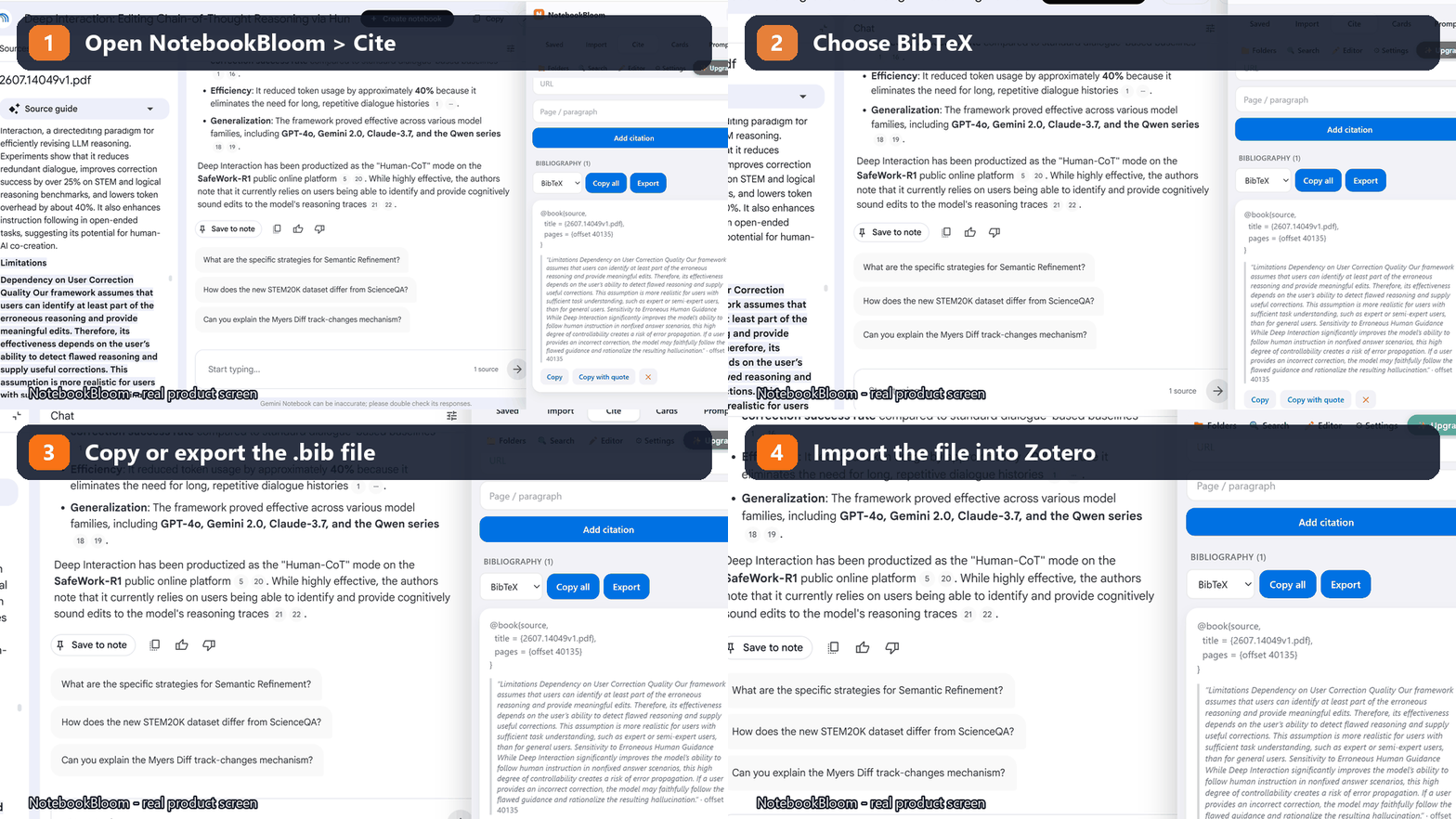
For the full citation workflow, including how to cite NotebookLM itself, see How to cite NotebookLM in APA 7, MLA, Chicago or BibTeX. To move the references into a reference manager, see the Zotero guide.
FAQ
Does NotebookLM show page numbers in its citations?
No. NotebookLM (now Gemini Notebook) citations jump to a highlighted passage inside the source, but the source viewer shows the text without page breaks and the citation does not include a page number. You have to find the page in the original file.
How do I find the page number of a NotebookLM citation?
Click the citation so the passage is highlighted, copy six to ten distinctive words from it, open the original PDF, search for that phrase with Ctrl+F, and use the page number printed on the page.
Is there an AI tool that cites the exact page of a PDF?
NotebookLM grounds every answer in your uploaded sources and shows the exact passage it used, which is the part you need to verify a claim. It does not add page numbers. Whatever tool you use, check the quote against the original page before citing it.
Does NotebookBloom add page numbers to NotebookLM citations?
No. NotebookBloom saves the source title and the exact cited passage with each reference, so you can find the page quickly with the search method in this guide. It does not invent page numbers that NotebookLM does not provide.
Why doesn't the PDF viewer's page number match my citation?
Many PDFs start counting at the cover, so page 1 in the viewer can be page iii or page 215 in print. APA and MLA want the page number printed on the page itself.
Official references
Product behavior can change. These official pages are the reference points used for this guide.
NotebookBloom is an independent extension and is not affiliated with Google. NotebookLM and Gemini Notebook are names for the same Google product; NotebookLM is a trademark of Google LLC.